 Automotive
 Industrial materials
 Packaging
 CMMS/EAM
 MES
MES
 Connected Worker
 Manufacturing Intelligence
 Maintenance
 Continuous Improvement
 Operations
 IT
IT
 Executive Leadership
 Case studies
 Blog
Blog
 Ebooks & Guides
 Webinars
 Events
.svg) OEE Calculator
OEE Calculator
 Downtime Cost Calculator
 About Us
 Partners
 Newsroom
 Support
 Careers
 Trust center


.svg)

Most maintenance planners aren't planning. They're playing detective.
Translating a spreadsheet into a work order. Translating a sticky note into a shift assignment. Translating "I think Dave's free Thursday" into an actual schedule, and hoping nobody else already booked him.
The tools were never the problem. The fact that there were five of them was.
The challenges are real
Ask any maintenance planner what their week actually looks like, and a familiar pattern shows up:
- No single view of the work. Resources, work orders, PMs, and dispatches all live in different places, so building one day's schedule means bouncing between a calendar, a list-only dispatch view, and (almost always) a spreadsheet someone built years ago that everyone's afraid to touch.
- Conflicts get caught late, or not at all. Double-booked technicians and overlapping assignments surface after the fact, when it's a scramble to fix, not a five-minute reschedule.
- The unexpected derails the whole day. A technician calls in sick, and now their assigned work has to be found, understood, and painstakingly reassigned by hand, usually while everything else is also happening.
- There's no room for the work you can't predict. Without a clear view of who has capacity, planners either overbook the week or leave so much slack that nothing gets done.
None of this is a training problem. It's a tooling problem, and it's exactly what we set out to fix.
The solution: One visual workspace for the whole schedule
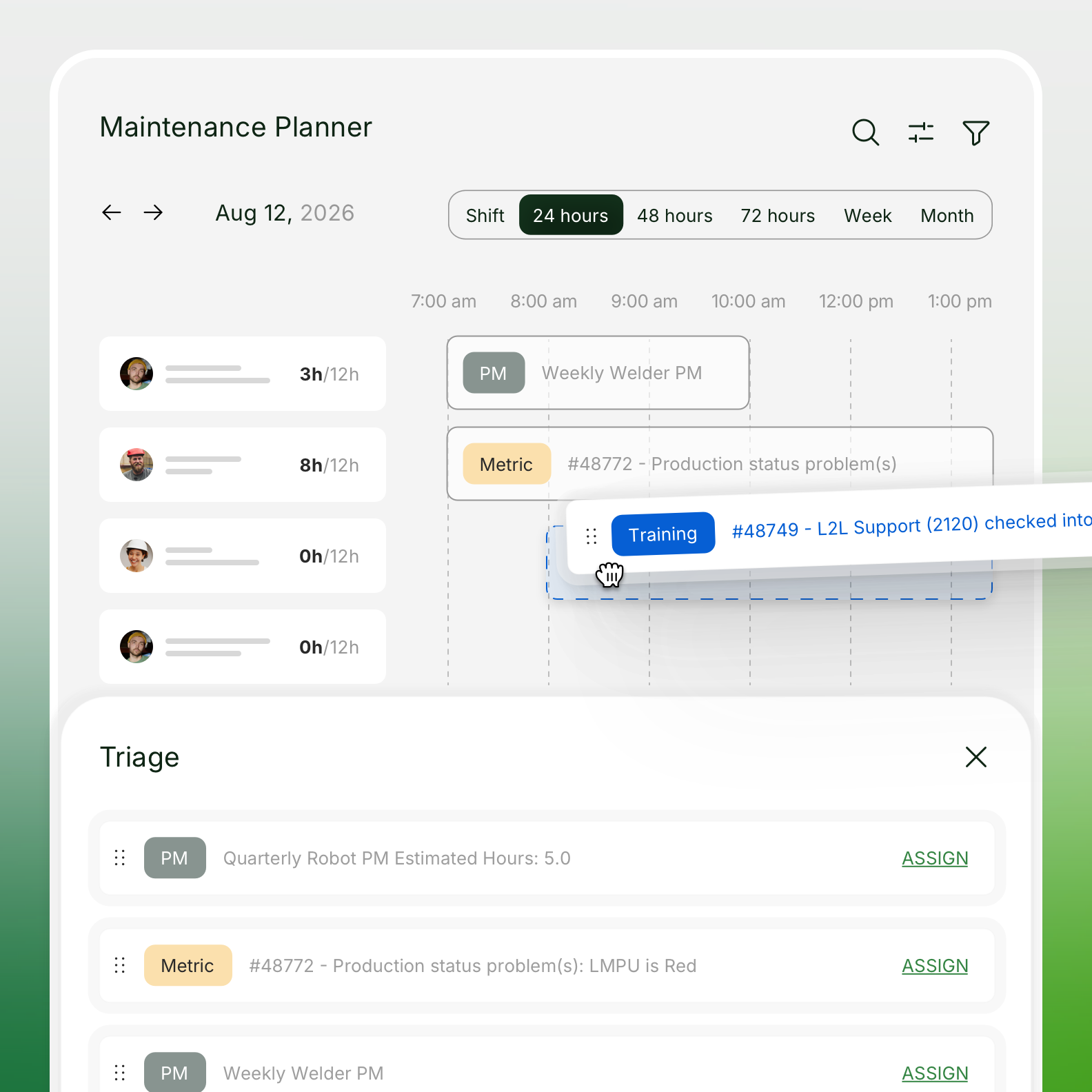
L2L’s Maintenance Planner brings your resources, work orders, PMs, and dispatches into a single visual, drag-and-drop workspace, so planners can see everything that affects their schedule and act on it without leaving the screen.
How it works
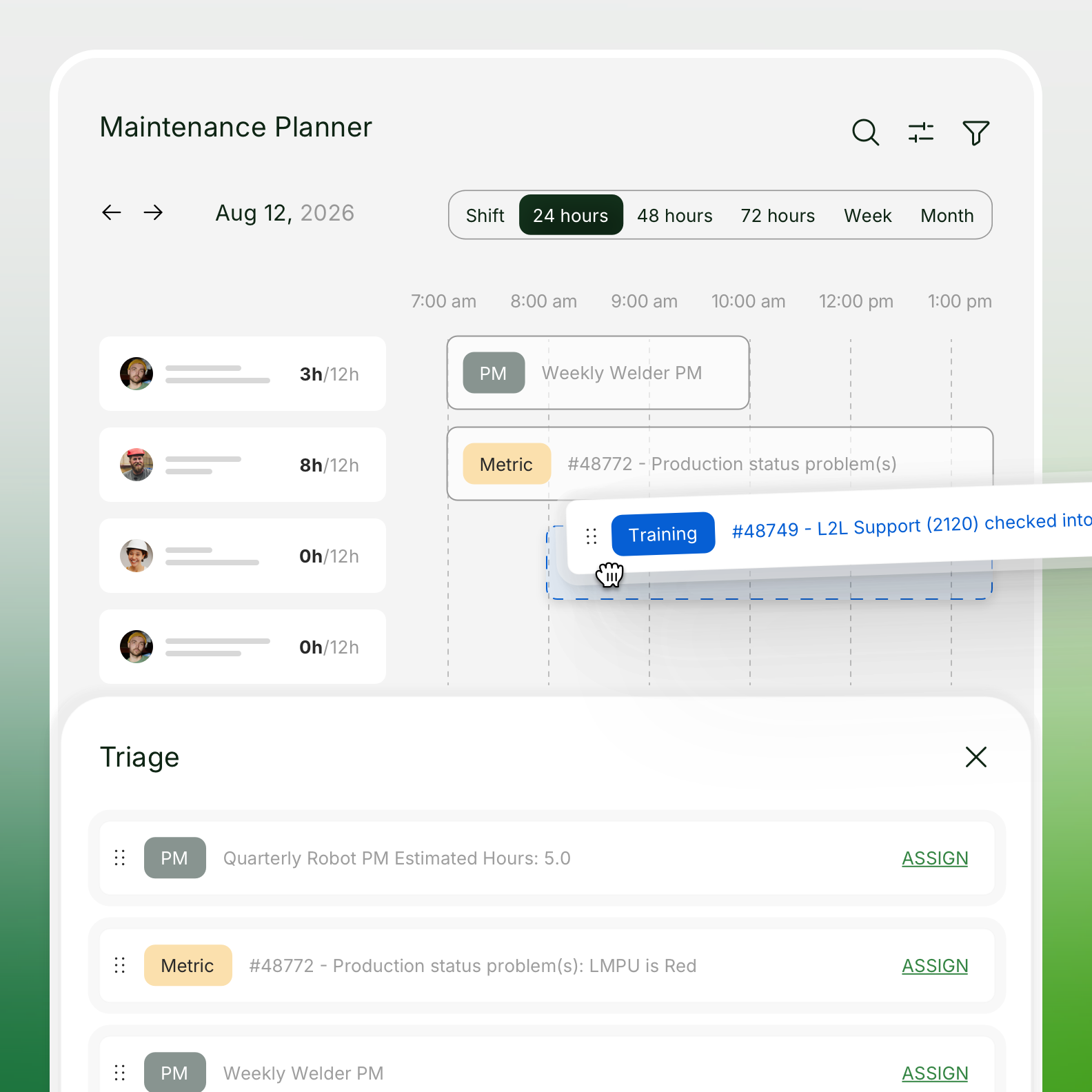
See the whole picture, at whatever zoom level you need. Switch between shift, 24-hour, 3-day, week, or month views depending on how far out you're planning: the same schedule, just a different lens.
Assign with simple drag-and-drop. Unassigned work lives in one place. Need to get it onto someone's day? Drag it onto their row.
See who's available at a glance. A technician's photo and name grey out in the schedule when they're marked unavailable, so you can spot who's out and reassign their work by hand, without checking a separate system.
Catch conflicts before they become problems. Overlapping assignments are flagged directly on the schedule, so double-bookings get resolved in minutes, not discovered after the shift's already underway.
See the workload before you add to it. Every view—Shift, 24-hour, Week, Month—shows how much each person already has on their plate, so you always know where there's room.
A day with Maintenance Planner
7:00 AM: A technician calls in sick with a full day of PMs assigned. Once they're marked unavailable, their photo grays out on the schedule and the planner can start reassigning their work.
9:15 AM: Two dispatches land on the same technician in the same window. The planner sees the flag immediately, decides it's an intentional overlap (a run-and-monitor PM), and moves on.
1:30 PM: Planning ahead for next week, the planner switches to the Week view and filters by trade to pull up just the electricians. A few upcoming PMs get dragged into open slots, with each tech's workload visible at a glance. It's easy to get the right task to the right person without overloading anyone.
4:45 PM: The spreadsheet stays closed. All day.
What customers are telling us
"It fits exactly how ops leaders already think about resources and open jobs," one operations leader told us after trying the drag-and-drop scheduling for the first time.
Another maintenance manager put it simply: being able to pull up his team's day-by-day, shift-by-shift work in one place was the thing that finally made a legacy tool feel worth using again.
One theme comes up more than any other: L2L’s Maintenance Planner replaces the spreadsheet. Customers who had been planning maintenance in Excel, SharePoint, or an inherited resource calendar for years now have a single, purpose-built tool instead—one that lives right alongside their dispatches and work orders.
Part of how L2L supports your shop floor
Maintenance Planner is available now as part of your Advanced Maintenance subscription—no new purchase, and nothing you need to do to get access. It's one more way L2L keeps maintenance, production, and your frontline teams working from the same source of truth, instead of five disconnected ones.
The future of the shop floor is proactive
L2L is the Connected Manufacturing Operations Platform built by manufacturers, for manufacturers. Since 2010, we’ve been on a mission to eliminate the operational, systemic, and human blockers that stall production. By unifying the shop floor and digitizing frontline guidance, we make plant-floor issues visible, solvable, and preventable.