
Resource scheduling software
How the resource scheduling software works
View unassigned dispatches, work orders, PMs, and past-due items in one Triage panel.
What L2L's resource scheduling software does
-
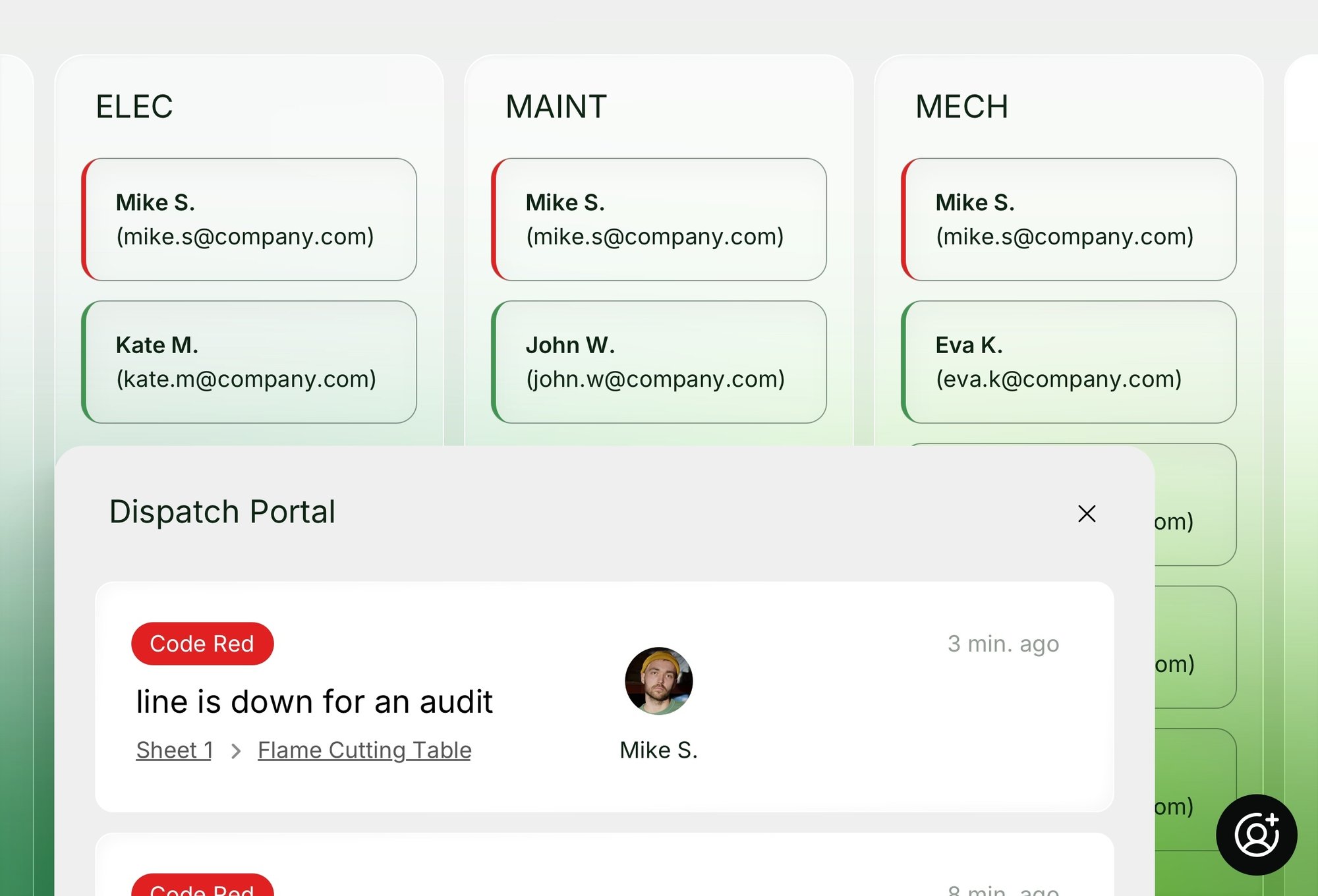
One backlog, one timelineUnassigned dispatches, unlaunched work orders, upcoming PMs, and past-due items all live in a single Triage panel.Unassigned dispatches, unlaunched work orders, upcoming PMs, and past-due items all live in a single Triage panel.
-
Drag-and-drop scheduling, with shift awareness built inDrag tasks straight onto a technician's timeline, or pull to the backlog when priorities shift.Drag tasks straight onto a technician's timeline, or pull to the backlog when priorities shift.
-
AI-assisted bulk schedulingDraft Plan distributes backlog work across your team automatically, based on trade, skill, availability, and capacity.Draft Plan distributes backlog work across your team automatically, based on trade, skill, availability, and capacity.
Nothing gets scheduled by memory or spreadsheet.
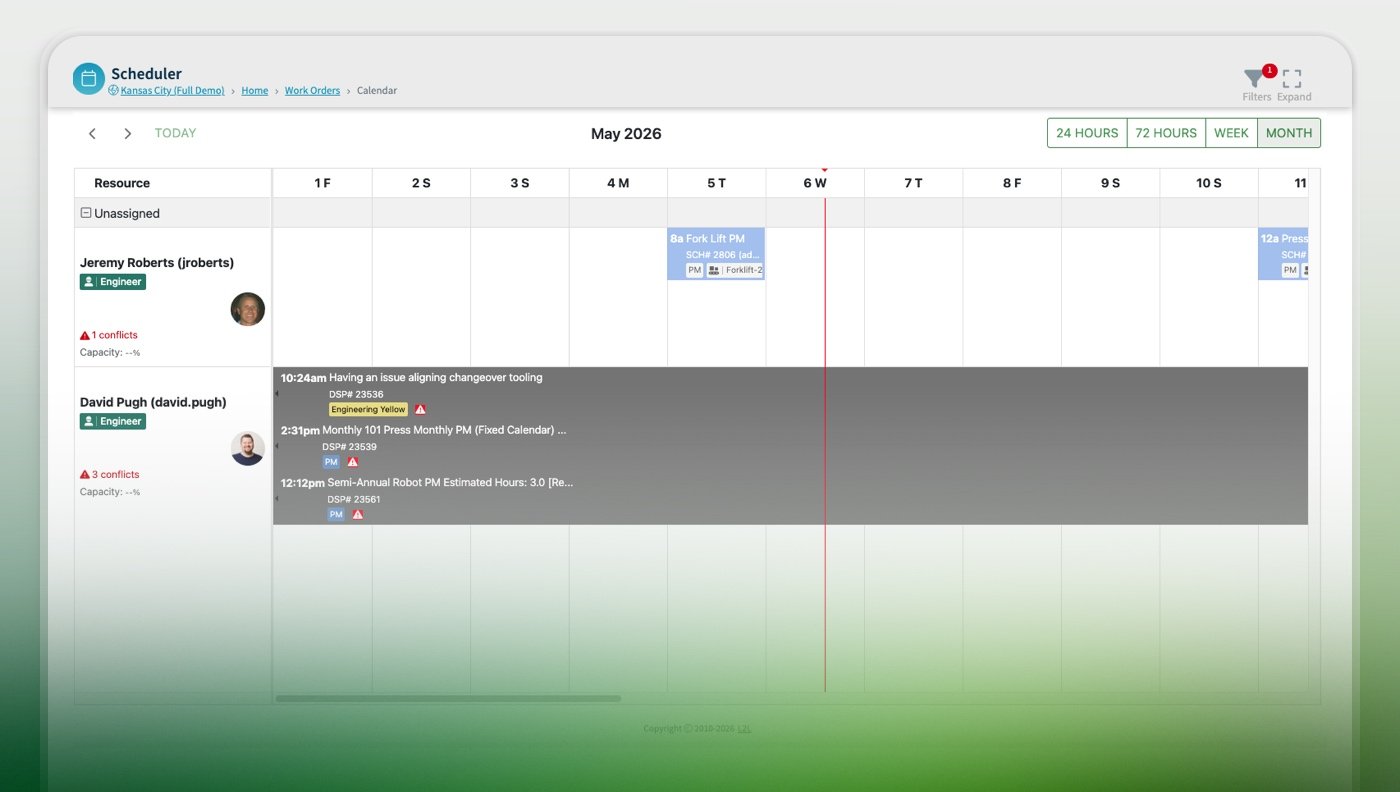
The system accounts for shift boundaries and "Unavailable" status automatically, so work only lands where labor actually exists.
Review the AI-generated plan, adjust or regenerate it, and accept it before a person finalizes every schedule change. L2L never schedules on its own without review.
-
One backlog, one timelineUnassigned dispatches, unlaunched work orders, upcoming PMs, and past-due items all live in a single Triage panel.Unassigned dispatches, unlaunched work orders, upcoming PMs, and past-due items all live in a single Triage panel.
Nothing gets scheduled by memory or spreadsheet.
-
Drag-and-drop scheduling, with shift awareness built inDrag tasks straight onto a technician's timeline, or pull to the backlog when priorities shift.Drag tasks straight onto a technician's timeline, or pull to the backlog when priorities shift.
The system accounts for shift boundaries and "Unavailable" status automatically, so work only lands where labor actually exists.
-
AI-assisted bulk schedulingDraft Plan distributes backlog work across your team automatically, based on trade, skill, availability, and capacity.Draft Plan distributes backlog work across your team automatically, based on trade, skill, availability, and capacity.
Review the AI-generated plan, adjust or regenerate it, and accept it before a person finalizes every schedule change. L2L never schedules on its own without review.
Scheduling that's connected to the rest of your manufacturing operations
Open requests, upcoming PMs, work orders, and overdue items collect in one panel beside the team's schedule.
Working hours and time-off show right on the calendar, so work only goes where someone is actually available.
Warnings appear when an assignment falls outside a shift, lands during time off, or overloads someone.
AI proposes how to spread the queue across your team by trade, skill, availability, and capacity. You approve or change it, and nothing is final until you do.
Plan up to a month out, with predicted PMs visible before they launch.
Narrow the team by trade, category, or status, then save the layout you use most.
See at a glance how many hours of each technician's shift are booked and how many are open.
View scheduled work by machine to line up preventive maintenance with uptime.
Towards a better and better floor
Maintenance Management in L2L
Make maintenance management easier and more effective. World-class maintenance depends on a shared view of your processes.
The L2L Method
Plant performance improves when manufacturers fix issues in the right sequence. Our methodology has proved it across hundreds of deployments.
CASE STUDY:
JELD-WEN +53% Productivity
"L2L helped us expedite the transformation. With employee teamwork, improved processes, and L2L providing the data we needed"
How do others do it?
See how organizations use L2L's resource scheduling software to solve frontline challenges, hit operational targets, and deliver measurable results.
More about resource scheduling software for lean manufacturing
What is resource scheduling software?
Resource scheduling software shows a team's entire workload, unassigned work, work orders, PMs, and past-due items, on one visual timeline, so managers can assign work based on real technician availability instead of checking multiple calendars.
How does resource scheduling software prevent double-booking?
Resource scheduling software can flag a scheduling conflict automatically when a technician is already booked or scheduled outside their shift, before the conflict causes a delay.
Can resource scheduling software use AI to build the schedule automatically?
Some resource scheduling software (like L2L) includes AI-assisted scheduling that distributes work across a team based on trade, skill, and availability. A person still reviews and accepts the plan before it's finalized. AI proposes the schedule, but it doesn't finalize it unsupervised.
Does resource scheduling software account for technician time off or shift changes?
Yes. Resource scheduling software can use existing "Unavailable" statuses to account for time off or shift changes, so work is only scheduled when labor is actually ready.
Can resource scheduling software group work by equipment?
Yes. Resource scheduling software can group scheduled work by machine or equipment, making it easier to align preventive maintenance with operational uptime.
Does resource scheduling software track equipment health too?
Resource scheduling software focuses on scheduling and assigning the work. Tracking equipment health and catching abnormalities is handled by L2L's Maintenance.
Ready to make improvement part of the job?
L2L is the Connected Manufacturing Operations Platform that eliminates downtime and increases productivity.
Our platform delivers real-time guidance to frontline teams, unified control for operations leaders, and measurable insights for global executives.
Manufacturing Intelligence